Analyse du design system

bluetitlondon.com

bluetitlondon.com is built on a pure-white canvas (rgb(255, 255, 255)). The system uses rgb(140, 249, 173) as the accent for primary actions and brand signals. Moderately rounded CTAs (8px) — modern SaaS standard, neither sharp nor pill alongside Ekstra as the primary typeface. Ekstra is paired with Lato for secondary roles. A restrained elevation system (2 distinct shadows) — shadows reserved for the few elements that must lift off the page. Motion is a first-class concern — 25 keyframe animations plus transition-driven interactions.

Accent #8cf9ad · police principale Ekstra

Chaque valeur ci-dessous est vérifiée à la capture. getdesign.md décrit — prismd montre : chaque couleur, police et courbe ici a été lue via getComputedStyle() sur le rendu réel capturé à droite, jamais affirmée à la main.

Rapport DESIGN.md complet · light & dark · fichiers tokens · Paiement non activé — on mesure la demande d’abord.
https://bluetitlondon.com ·extrait le 2026-08-11 ·scorer v2 ·moteur getComputedStyle
Desktop · source de vérité
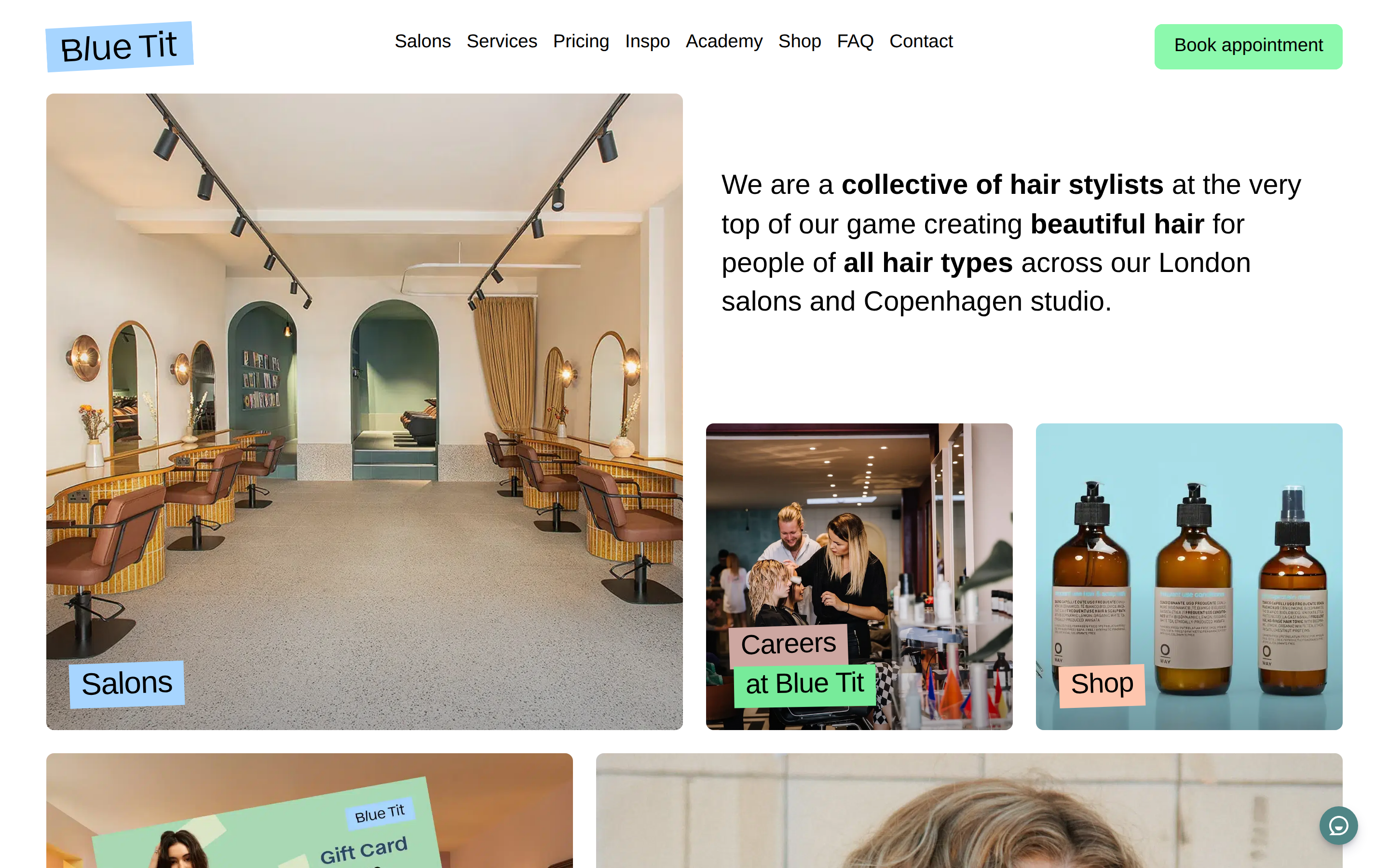
bluetitlondon.com desktop
Mobile
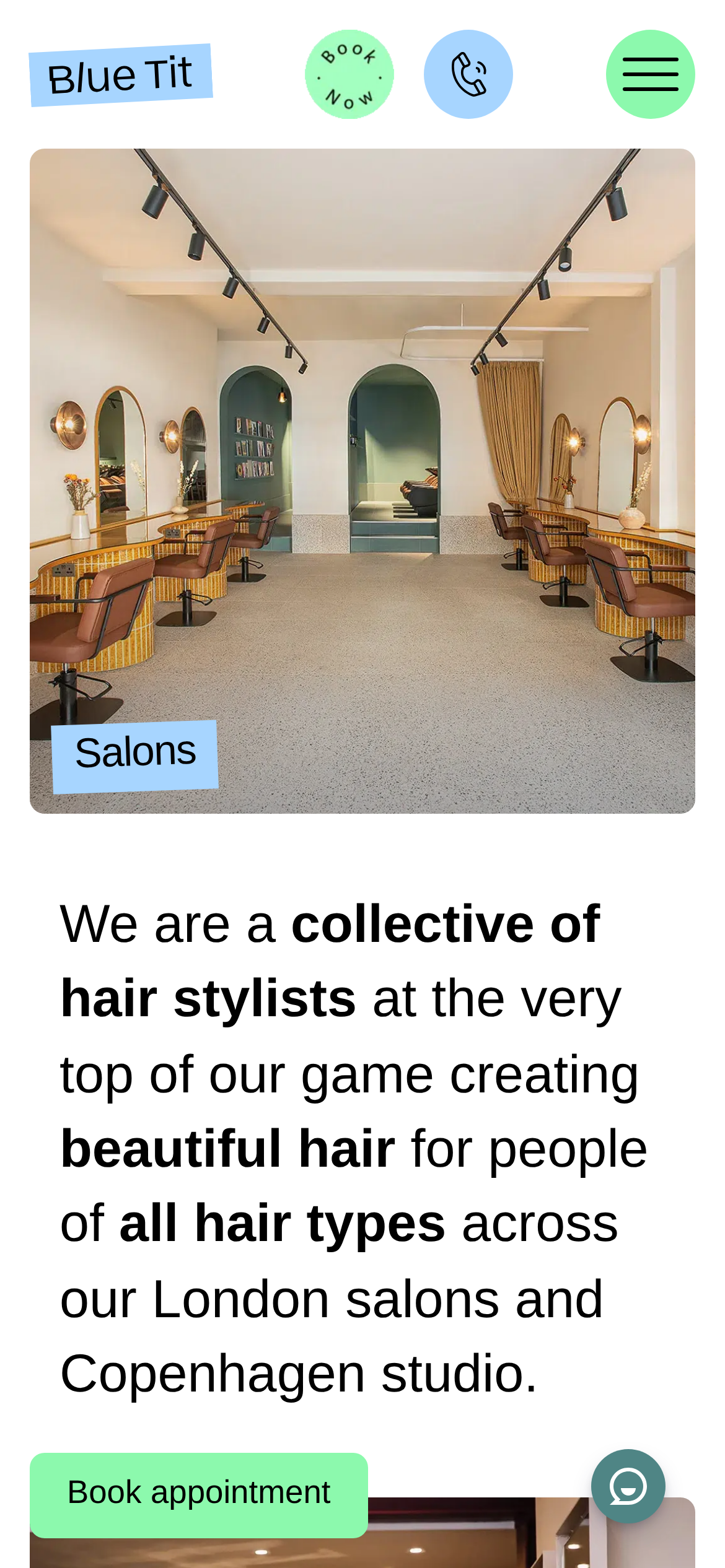
bluetitlondon.com mobile
01

Couleurs — rôles, sémantique & recensement complet

12 couleurs mesurées · clique une pastille pour copier

Canvas
#ffffff
AAA 18.88:1
Ink
#111111
AAA 18.88:1
Accent
#8cf9ad
Fail 1.29:1
Line
#e5e7eb
Fail 1.24:1
États sémantiques
error#dc3545success#198754warning#ffc107info#0dcaf0

4 rôles sémantiques trouvés.

12 couleurs extraites du rendu livedéplier
02

Typographie — l’échelle, dans la vraie police

4 rôles · rendu live dans la vraie Inter (woff2 capturé) · lignes éditables, clique une spec pour copier

display xl
display-xl32px · 400
display md
display-md22.4px · 400 · ×1.43
body
body16px · 400 · ×1.40
button
button20px · 400 · ×0.80
03

Espacements & arrondis, rendus spatiaux

9 paliers d’espacement · 7 arrondis · barres = largeurs px exactes

Échelle d’espacement
xxs · 2px
xs · 5px
sm · 16px
md · 24px
base · 48px
lg · 60px
xl · 64px
2xl · 97px
3xl · 105px
Arrondis
none
0px
xs
4px
sm
8px
md
12px
lg
20px
xl
32px
full
9999px
04

Profondeur — l’élévation est extraite, pas inventée

2 ombres mesurées sur la page live · clique une tuile pour copier sa valeur brute

shadow-1
shadow-2
05

Motion — courbes, transitions & keyframes réels

2 courbes d’easing · 25 keyframes · survole une tuile pour prévisualiser

Courbes & transitions
transition-1ease-in-out
f-button-svg-transitionease
25 animations keyframes extraites
f-spinner
f-fadeIn
f-fadeOut
f-crossfadeIn
f-crossfadeOut
f-slideInPrevX
f-slideInNextX
f-slideOutNextX
f-slideOutPrevX
f-slideInPrevY
f-slideInNextY
f-slideOutNextY
06

Composants — le vocabulaire fermé

7 familles de composants · 38 variantes comptées sur le DOM live

ComposantVariantes
cards×10
nav Links×10
links×10
heading H3×4
footer Links×2
buttons×1
cta Banner×1
Specs de style des composants (§4)déplier

Buttons

Primary Brand

  • Background: #8cf9ad {colors.primary}
  • Text: rgba(0, 0, 0, 0.65)
  • Padding: 24px
  • Radius: 50%
  • Font: 20px weight 400
  • Use: Primary CTA / brand action
  • Hover: backgroundColor: #5cf68a
  • Focus: backgroundColor: rgb(67, 245, 121)

Cards & Containers

Standard Card

  • Background: #f0f0f0 {colors.surface-1}
  • Padding: 0px 0px 660px
  • Radius: 8px
  • Use: Content containers, listing items

Navigation

Main Nav

  • Background: #ffffff {colors.background}
  • Padding: 16px 0px
  • Radius: none
  • Font: 16px weight 400
  • Use: Fixed/sticky flex nav — N/A items
  • Hover: opacity: 0.7

CTA Banners

Full-width CTA

  • Background: #f0f0f0 {colors.surface-1}
  • Text: #000000
  • Padding: 60px 0px
  • Radius: 0px
  • Font: 16px weight 400
  • Use: Full-width conversion strip with headline + button
  • Hover: backgroundColor: #5cf68a
  • Focus: backgroundColor: rgb(67, 245, 121)
07

Mise en page — structure & dimensions

5 métriques de layout mesurées

header 97px 1200px max-width
max Width1200px
header Height97px
sidebar Width0px
gap16px
container Padding0px
08

Responsive — vrais breakpoints

24 points de rupture lus dans le CSS live

40px
64px
575px
576px
600px
767px
768px
800px
900px
980px
991px
992px
1024px
1199px
1200px
1279px
1280px
1399px
1400px
1440px
1599px
1600px
1799px
1800px
09

À faire / À éviter

17 règles applicables, verbatim de la spec

À faire
Use Ekstra as the primary typeface — it defines the brand personality
The system uses a single text weight (400) — hierarchy comes from size and color, not weight
Use the extracted shadow patterns for elevation — they are tuned to match the brand palette
Use Mint (`#8cf9ad`) as the primary accent — it's the brand's signature interactive color
Use 8px border-radius on buttons — the standard corner rounding for interactive elements
Transition button background to Mint (`#5cf68a`) on hover — this is the extracted interactive state
Respect the 5px–64px spacing range — the design uses a wide scale for visual breathing room
Make the hero full-viewport (≥70% screen height) — this design uses an immersive hero, not a tall navbar
Build the hero as a split layout with media on the right — text and visual share equal weight
À éviter
Don't substitute with generic sans-serif or serif — the custom font carries the brand
Don't introduce bolder or lighter weights — 400 is the only weight in this system
Don't invent new shadow values — use only the extracted shadow levels
Don't introduce additional saturated accent colors — the palette is intentionally controlled
Don't use opacity or brightness filter for button hover — the design uses an explicit background color change
Don't make the nav sticky — this design lets it scroll away to maximize content focus
Don't put a CTA button in the nav — this design uses links only at the top
Don't over-build the footer — this design keeps it minimal (1 cols, 6 links)
10

Guide agent & export

Prompt prêt à coller + les vrais fichiers derrière cette page

Construis une UI dans le design system de bluetitlondon.com. Fond #ffffff · encre #111111 · accent #8cf9ad. Typo : Ekstra — respecte l’échelle taille/graisse du §3. Arrondis, espacements, ombres : uniquement les échelles extraites (aucun nombre magique). La spec complète suit — colle le DESIGN.md ci-dessous dans ton agent.
Chaque valeur ci-dessus est vérifiée par getComputedStyle.