Prism prismd.fr
Extracted · 10 sections · 30 colors · grade A

playstation.com

Accent #5e6ad2 · sst — chaque valeur ci-dessous est mesurée via getComputedStyle(), jamais affirmée à la main.
30
colors
8
faces
4
shadows
67
keyframes
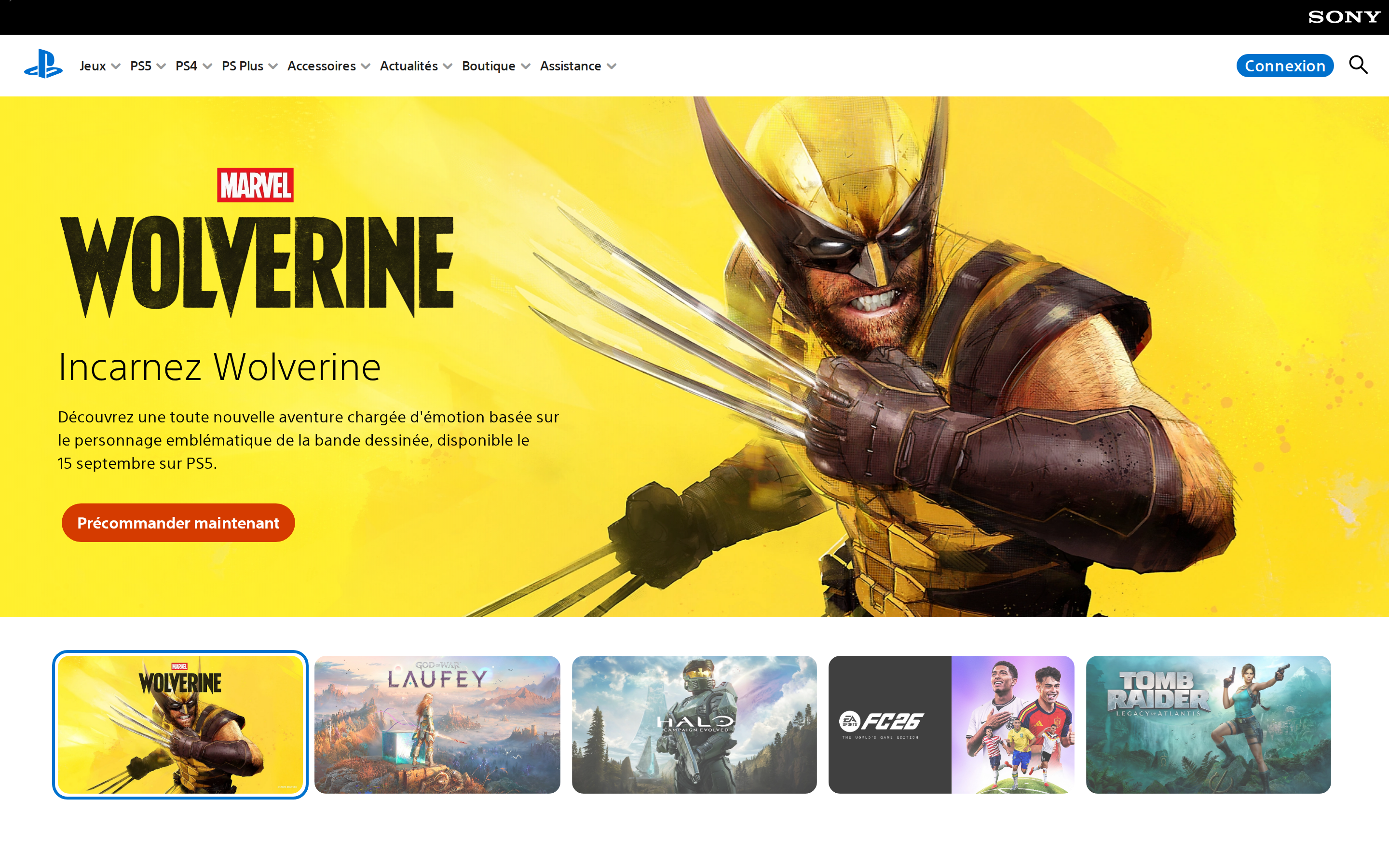
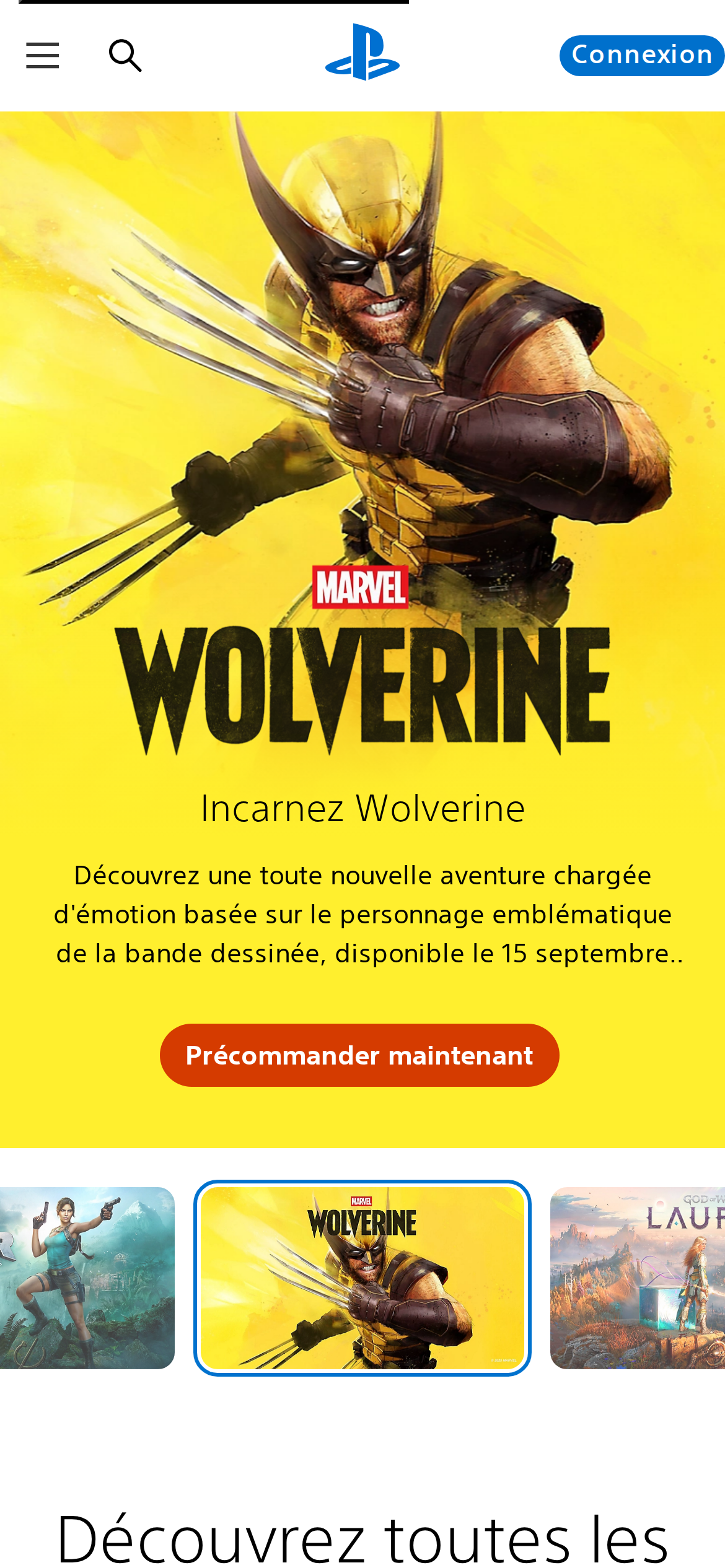
playstation.com
rendu réel · source de vérité

playstation.com is built on a pure-white canvas (rgb(255,255,255)). The system uses rgb(0, 112, 204) as the high-saturation accent for primary actions. Sharp 0px corners on CTAs — architectural restraint, engineering precision alongside sst as the primary typeface. Sst is paired with Shared-Nav-Icons for secondary roles. A layered elevation system (4 distinct shadows) building a clear front-to-back hierarchy. Motion is a first-class concern — 67 keyframe animations plus transition-driven interactions.

01

Color — roles, semantics & the full census

30 colors measured · click any swatch to copy

Canvas
#ffffff
AAA 16.48:1
Ink
#1f1f1f
AAA 16.48:1
Accent
#0070cc
AA 5.01:1
Line
#858585
AA·lg 3.69:1
Semantic states
success#009476warning#c81b3a

2 semantic roles found.

30 colors mined from the live renderexpand
02

Type — the ladder, in the real face

8 roles · rendered live in the real Inter (captured woff2) · lines are editable, click any spec to copy

display xl
display-xl49px · 300
display md
display-md25px · 300 · ×1.96
headline
headline20px · 300 · ×1.25
body
body13.3333px · 500 · ×1.50
body sm
body-sm16px · 500 · ×0.83
caption
caption14px · 400 · ×1.14
button
button16px · 500 · ×0.88
eyebrow
eyebrow14px · 500 · ×1.14
03

Spacing & radius, made spatial

9 spacing steps · 7 radii · bars are exact px widths

Spacing scale
xxs · 2px
xs · 4px
sm · 8px
md · 12px
base · 16px
lg · 24px
xl · 32px
2xl · 48px
3xl · 64px
Radius
none
0px
xs
4px
sm
8px
md
12px
lg
16px
xl
32px
full
999px
04

Depth — elevation is extracted, not invented

4 box-shadows measured on the live page · click a tile to copy its raw value

shadow-1
shadow-2
shadow-3
shadow-4
05

Motion — easings, transitions & live keyframes

1 easing curve · 67 keyframes · hover a tile to preview

Easing & transitions
transition-5ease-in
67 keyframe animations extracted
vjs-spinner-show
vjs-spinner-spin
vjs-spinner-fade
jetstream-search-input-grow
jetstream-search-slide-down
jetstream-search-slide-up
jetstream-search-fadein
jetstream-search-fadeout
jetstream-search-input-shrink
fadeIn
fadeInLight
fadeInLeft
06

Components — the closed vocabulary

20 component families · 72 variants counted on the live DOM

ComponentVariants found
buttons×10
cta Banner×9
cards×6
status Badge×5
heading H2×5
footer Links×4
heading H4×4
eyebrow Labels×4
captions×4
nav Links×3
tabs×3
heading H3×3
links×3
heading H1×2
price Tag×2
badges×1
pricing Card×1
heading H5×1
divider×1
accordion×1
Component style specs (§4)expand

Buttons

Light / Invert

  • Background: #ffffff {colors.on-primary}
  • Text: #0172ce {colors.primary-hover}
  • Padding: 16px 20px
  • Radius: 0px
  • Border: 2px outset rgb(0, 0, 0)
  • Font: 13.3333px weight 500
  • Use: Bright CTA on dark sections
  • Focus: boxShadow: rgba(0, 0, 0, 0.34) 0px 2px 4px 1px, outline: rgb(59, 153, 252) solid 2px

Ghost

  • Background: transparent
  • Text: #1f1f1f {colors.ink}
  • Padding: 0px 20px 0px 5px
  • Radius: 0px
  • Font: 13px weight 500
  • Use: Subtle action, toolbar, nav button
  • Focus: boxShadow: rgba(0, 0, 0, 0.34) 0px 2px 4px 1px, outline: rgb(59, 153, 252) solid 2px

Pill

  • Background: #0070cc {colors.primary}
  • Text: #ffffff {colors.on-primary}
  • Padding: 0px 8px
  • Radius: 999px
  • Font: 16px weight 500
  • Use: Status pills, tags, chips
  • Focus: boxShadow: rgba(0, 0, 0, 0.34) 0px 2px 4px 1px, outline: rgb(59, 153, 252) solid 2px

Pill

  • Background: transparent
  • Text: #0068bd
  • Padding: 0px
  • Radius: 32px
  • Border: 2px solid rgba(0, 0, 0, 0)
  • Font: 16px weight 400
  • Use: Status pills, tags, chips
  • Focus: boxShadow: rgba(0, 0, 0, 0.34) 0px 2px 4px 1px, outline: rgb(59, 153, 252) solid 2px

Cards & Containers

Standard Card

  • Background: transparent
  • Padding: 2px
  • Radius: 9999px
  • Shadow: rgba(0, 0, 0, 0.06) 0px 4px 8px 0px
  • Use: Content containers, listing items
  • Hover: boxShadow: rgba(0, 0, 0, 0.07) 0px 4px 8.10795px 0px

Navigation

Main Nav

  • Background: transparent
  • Padding: 0px 20px
  • Radius: none
  • Font: 16px weight 500
  • Use: Fixed/sticky flex nav — N/A items

Pricing Cards

07

Layout — structure & dimensions

5 layout metrics measured

header 64px 100% max-width
max Width100%
header Height64px
sidebar Width0px
gap16px
container Padding24px
08

Responsive — real breakpoints

29 media-query stops read from the live CSS

320px
360px
400px
425px
426px
530px
550px
600px
640px
699px
700px
767px
768px
769px
800px
890px
896px
897px
1023px
1024px
1100px
1280px
1366px
1367px
1368px
1600px
1919px
1920px
2120px
09

Do's & Don'ts

22 enforceable rules pulled verbatim from the spec

Do
Use Near-Black (`#1f1f1f`) for text — not pure black, it's warmer and more readable
Use sst as the primary typeface — it defines the brand personality
Keep font weights between 300-500 — the system uses a narrow weight range for subtle hierarchy
Use the extracted shadow patterns for elevation — they are tuned to match the brand palette
Use full-pill radius (9999px) only for specific elements (avatars, pills, toggles)
Use M Tricolor Blue (`#0070cc`) as the primary accent — it's the brand's signature interactive color
Use pill-shaped radius (999px) for primary CTA buttons — the brand uses fully-rounded, pill CTAs
Apply 2px padding inside cards — matches the design system's content breathing room
Use 9999px border-radius on cards — consistent with the grid card corners
Maintain nav height at 64px — consistent vertical space for the navigation bar
Respect the 4px–32px spacing range — the design uses a wide scale for visual breathing room
Each card includes a top image — imagery is part of the card identity, not optional
Don't
Don't use pure black (`#000000`) for text — the near-black adds warmth
Don't substitute with generic sans-serif or serif — the custom font carries the brand
Don't use weight 700 (bold) or above — 500 is the maximum weight in this system
Don't invent new shadow values — use only the extracted shadow levels
Don't apply pill radius on rectangular buttons or cards — it's reserved for specific interactive elements
Don't introduce additional saturated accent colors — the palette is intentionally controlled
Don't use rectangular buttons for primary actions — the rounded pill shape is the brand standard
Don't collapse or hide the nav on scroll without an explicit scroll-triggered animation — the design uses fixed nav presence
Don't make the nav sticky — this design lets it scroll away to maximize content focus
Don't over-build the footer — this design keeps it minimal (2 cols, 0 links)
10

Agent guide & export

Paste-ready prompt + the real files behind this page

Build a UI in the playstation.com design system. Canvas #ffffff · ink #1f1f1f · accent #0070cc. Type: sst — respect the size/weight ladder in §3. Radius, spacing, shadow: use only the extracted scales (no magic numbers). Full spec follows — paste the DESIGN.md below into your agent.
Every value above was getComputedStyle-verified.
$ npx prismd add playstation
DESIGN.md · narrative spec tokens.json